BuzzTV IPTV Setup Guide – How to Configure IPTV on BuzzTV
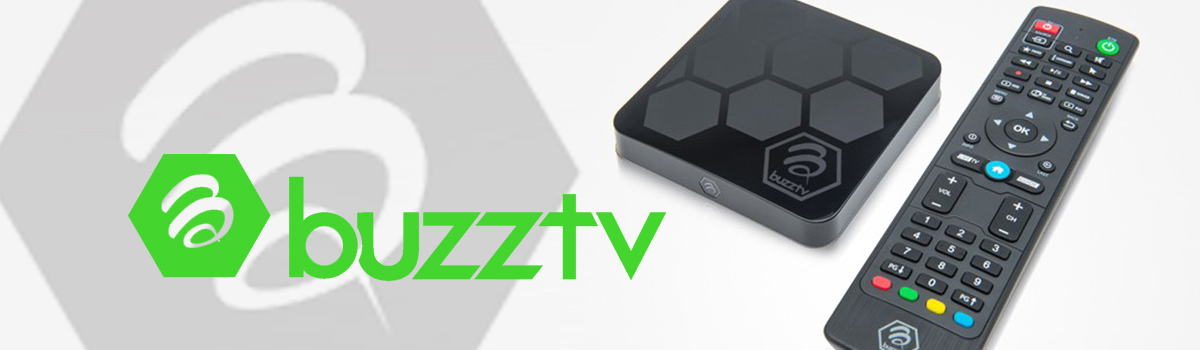
If you’re looking for a simple BuzzTV IPTV setup guide, this tutorial will help you configure your device quickly and correctly. BuzzTV is an Android-based streaming device designed for IPTV users who want access to live TV channels, movies, and on-demand content through internet streaming technology. Thanks to its user-friendly interface and stable performance, BuzzTV has become a popular choice for IPTV streaming. In addition, many BuzzTV devices include useful features such as EPG support, recording options, and smooth navigation for easier content management. If you’re new to IPTV streaming, you can first try a Free IPTV Trial to test compatibility and streaming performance before choosing a subscription plan.
What You Need Before Setup
Before starting the BuzzTV IPTV setup, make sure you have:
- BuzzTV streaming device
- Stable internet connection
- IPTV portal URL or M3U playlist
- Active IPTV subscription
- Remote control
How to Setup IPTV on BuzzTV ↴
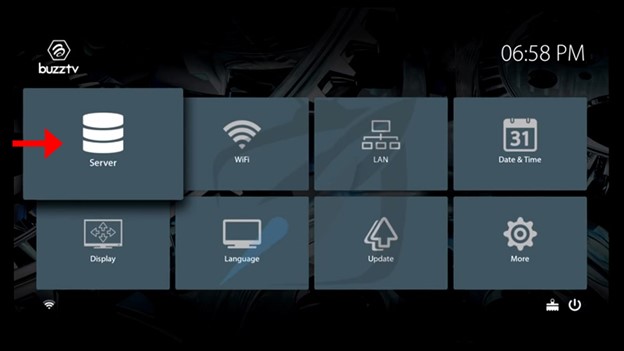
Step 01: Open Setting
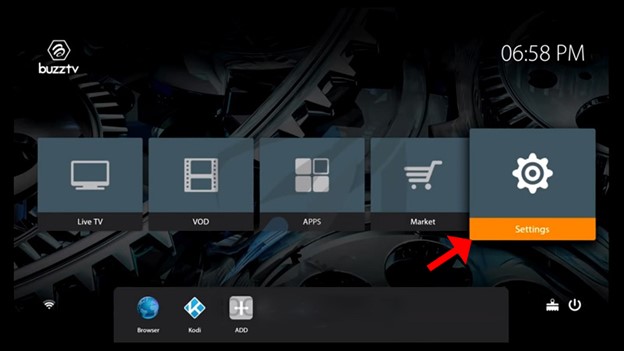
First, go to the main menu and click on Settings. (as shown in the image below).
Step 02: Go to Servers
Next, select Servers to continue the setup process.
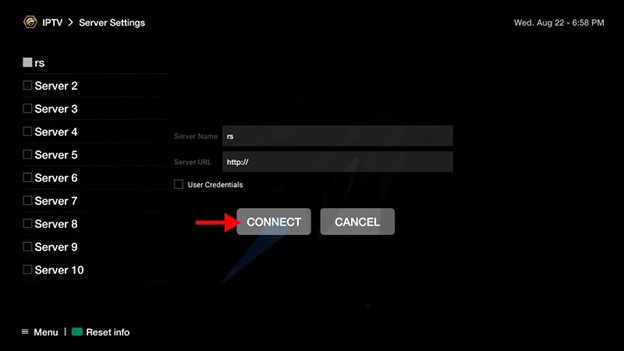
Step 03: Add IPTV Server Details
Now, enter the following information:
- Server URL → Enter the portal URL provided by your IPTV provider
- Server Name → You can enter any custom name
If your IPTV service uses an M3U playlist with username and password, you can enable the credentials option and enter the required details.
In most cases, you may also need to register your device MAC address with your IPTV provider before activation.
Step 04: Connect & Start Streaming
Finally, click Connect. Once the IPTV portal loads successfully, you can start watching channels and available content. If you want to explore longer subscription options later, you can visit the IPTV pricing page to compare available plans.
Supported Streaming Features
BuzzTV devices commonly support:
- IPTV portal login
- M3U playlists
- EPG support
- Video-on-demand access
- HD and 4K streaming
What You Need Before Setup
If channels are not loading properly:
- First, check your internet connection
- Then, verify the portal URL or playlist details
- Restart the BuzzTV device
- Confirm your IPTV subscription is active
For additional help, you can also read the IPTV FAQ guide for common IPTV issues and solutions.
⚠️ Disclaimer
We provide IPTV setup guidance and technical instructions only. We do not host, store, or distribute any media content. Users are responsible for complying with local laws and regulations.
Learn More
To understand IPTV technology, see Internet Protocol television.