Set up IPTV on
SET IPTV
Set IPTV generally refers to a service or application that enables users to stream television content over the internet using a set-top box or smart TV. Here are some features of Set IPTV:
1. Easy to Set Up: The installation process is straightforward, making it accessible for users of all technical levels.
2. High-Performance Video: It delivers high-quality video streaming for an enhanced viewing experience.
3. Support for Multiple Formats: In addition to M3U links, it also supports the Xtream Codes method for content access.
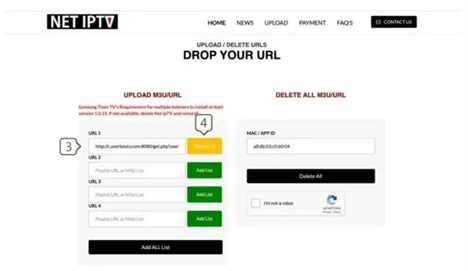
Setup process Based on M3U Link, Set up iptv on set iptv;
Setting up IPTV on your SET IPTV app is simple and allows you to enjoy a variety of TV channels and on-demand content. Just follow these steps!
Features of SET IPTV
SET IPTV includes several useful features that make it a practical streaming player:
- Simple installation process for compatible Smart TVs
- Smooth video playback designed for stable streaming
- Support for playlist formats such as M3U
- Option to connect using Xtream Codes credentials
- Organized channel layout for easier navigation
Because the application functions as a player, users must upload their playlist through the official SET IPTV website before channels appear in the application.
Follow the steps below ↴
Step 01:Find MAC Address
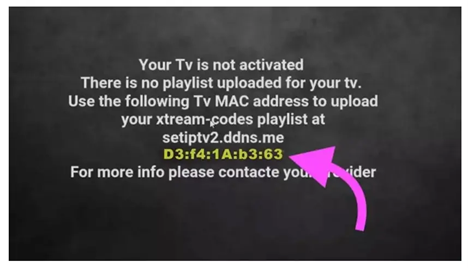
After installing Set IPTV, open the app, and your MAC address will be displayed on the screen.
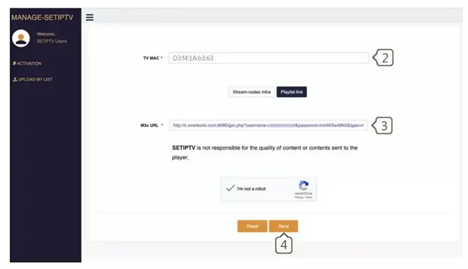
Step 02: Visit the Set IPTV Web Portal
Open your web browser and navigate to the Set IPTV upload page: [https://setsysteme.com/set.app] (https://setsysteme.com/set.app). Choose the playlist link method.
Step 03: Enter Your MAC Address
In the TV MAC field, enter the MAC address you found in the first step.
Step 04: Input the M3U Link
Paste the M3U link you received from your IPTV provider into the M3U URL field.
Step 05: Click send
Complete the CAPTCHA verification by checking the “I’m not a robot” box, then click “Send.” Restart your TV and open Set IPTV again to enjoy thousands of TV channels, movies, and series!
FAQ – SET IPTV Setup
Q1: Does SET IPTV include channels by default?
No. SET IPTV is a player application and does not provide channels or media content. Users must upload their playlist from an IPTV service provider.
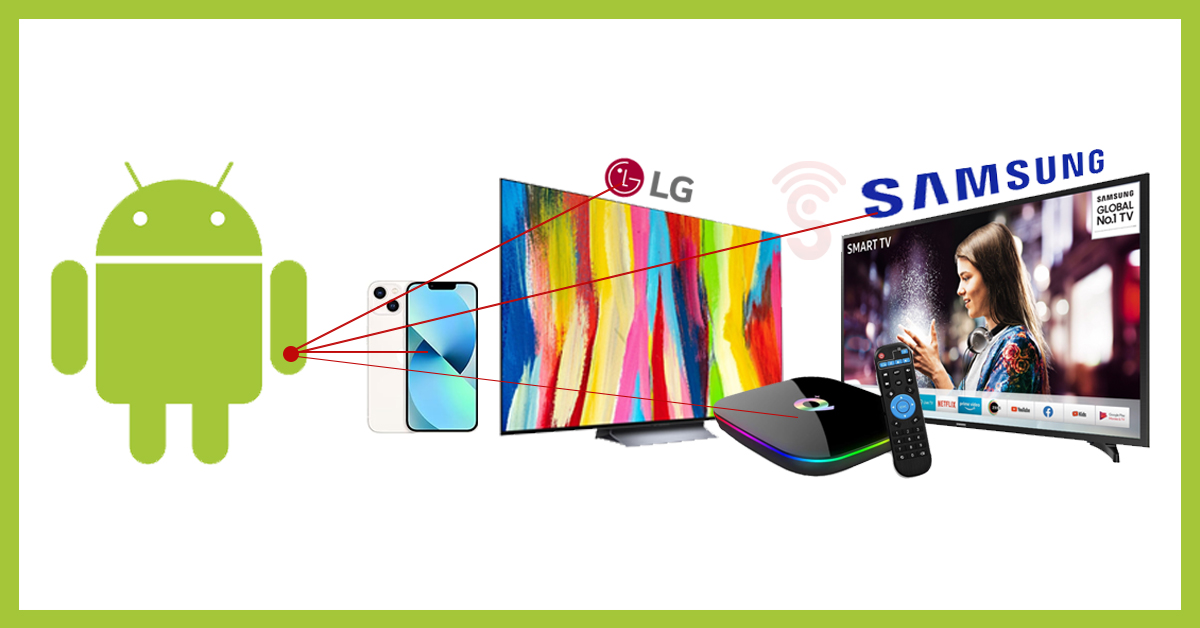
Q2: What devices support the SET IPTV app?
The application is mainly designed for Smart TVs and certain compatible streaming devices.
Q3: What is an M3U playlist?
An M3U playlist is a file or link that contains streaming channel information which IPTV player applications use to display channels.
Q4: Can I update my playlist later?
Yes. You can return to the playlist upload page and update or replace your existing playlist whenever necessary.
Q5: Why are channels not appearing after setup?
This may occur if the playlist link is incorrect or if the app needs to be restarted after uploading the playlist.
⚠️ Disclaimer
Sign IPTV provides access to IPTV connectivity and streaming technology only. We do not host, store, or broadcast any television channels or media content. All content accessed through IPTV applications is supplied by third-party services, and users are responsible for ensuring that their use of IPTV services complies with local laws and regulations in their country.
Conclusion
Setting up IPTV on SET IPTV is a quick and easy process that takes just a few minutes. By following the steps to find your MAC address, visiting the SET IPTV web portal, and entering your M3U link, you can access a wide variety of channels, movies, and series. Whether you’re new to IPTV or have used it before, this guide helps you enhance your viewing experience. Enjoy streaming your favorite content effortlessly!